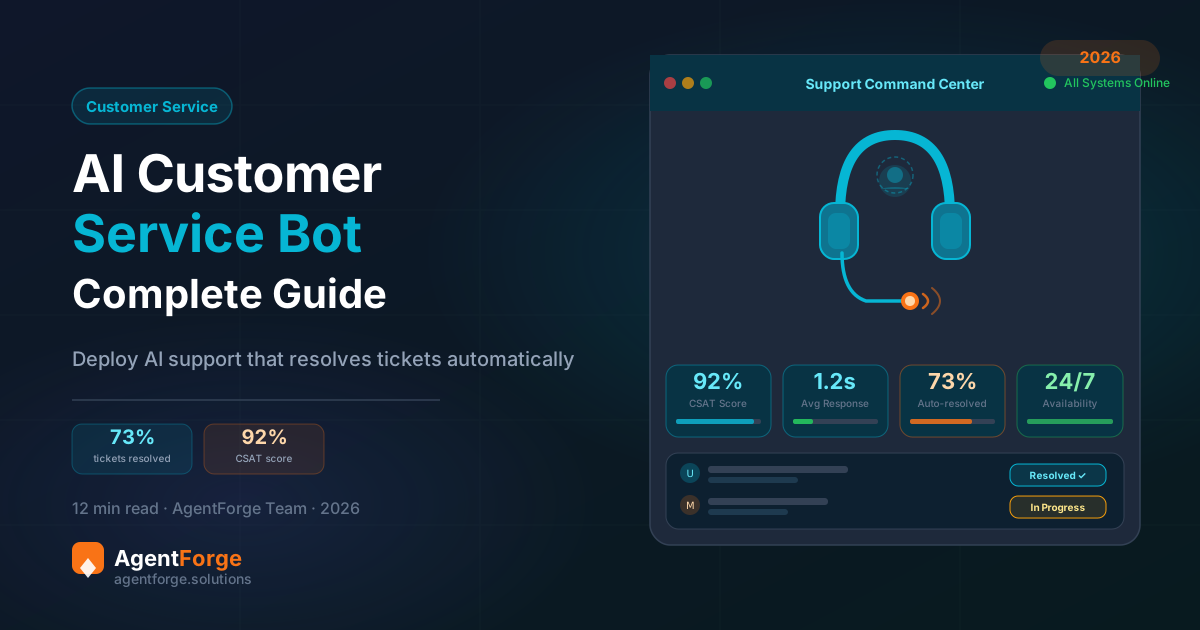
Support ticket volumes have grown 20% year-over-year since 2022, according to Zendesk benchmarking data. Customer response time expectations have moved in the opposite direction — 75% of customers now expect a response within 5 minutes for chat-based support. The math is brutal for support teams trying to scale with headcount alone: hiring enough agents to meet both volume and speed expectations is financially unsustainable for most businesses.
AI customer service chatbots offer a way out of this bind. Modern AI-powered agents, trained on your specific product documentation and policies, resolve 60–80% of routine support queries without human involvement — instantly, at any hour, at near-zero marginal cost per interaction. The remaining 20–40% that genuinely requires human judgment gets routed to your team with full context already captured.
This guide is a practical implementation resource: what AI customer service chatbots can and cannot do, how they compare to existing support tools, a seven-step implementation roadmap, the metrics that actually matter, and real-world outcomes from businesses that have deployed them.
The Customer Service Crisis — and Why AI is the Answer
The support challenge in 2026 isn’t primarily a technology problem — it’s a scale problem. Businesses are serving more customers across more channels with higher expectations than any previous era, while facing rising labor costs and increasing difficulty hiring and retaining support staff.
The structural issue is that the majority of support interactions are fundamentally repetitive. Study after study across industries confirms the same pattern: 70–80% of incoming support queries are variations of the same 20–30 question types. In e-commerce, it’s order status, returns, and shipping time. In SaaS, it’s password resets, billing questions, and feature how-tos. In healthcare, it’s appointment booking, insurance coverage, and service information.
These queries have fully deterministic answers — the correct response exists in your documentation, your policies, or your systems. They don’t require human judgment. They require accurate information retrieval and clear communication. That’s exactly what AI customer service chatbots do exceptionally well.
What AI Customer Service Chatbots Can Do
In 2026, AI customer service agents handle a significantly broader range of tasks than their 2022 predecessors. Here’s what a well-configured agent can reliably handle:
- Instant FAQ responses from your knowledge base. Questions about products, services, pricing, policies, and procedures — answered immediately, 24/7, with consistent accuracy. No wait time, no off-brand responses, no “I’ll need to check with a colleague.”
- Order and account status queries. Integrated with your e-commerce platform or CRM, the chatbot looks up order details by customer email or order ID and provides real-time shipping status, delivery ETAs, and return eligibility in seconds.
- Multi-step troubleshooting. For known issues with standard resolution paths, the AI agent walks customers through diagnostic steps — systematically eliminating causes and confirming resolutions without involving support staff.
- Appointment scheduling and reminders. The agent checks availability, books slots, confirms appointments, and sends automated reminders — eliminating the back-and-forth that makes scheduling unnecessarily labor-intensive.
- Intelligent triage and routing. When a query is genuinely complex or requires human judgment, the agent categorizes the issue, collects all relevant context (customer account, issue description, prior conversation history), and routes to the right team member — so humans receive fully prepared handoffs, not raw inbound queries.
- Customer satisfaction collection. End-of-conversation CSAT surveys, automatic follow-up after ticket resolution, and feedback loops that surface common dissatisfaction patterns — all automated.
- Multi-channel consistency. The same agent configuration serves customers on your website widget, WhatsApp, Instagram DMs, and Telegram — with consistent behavior and brand voice regardless of channel.
For a pre-built customer service agent with escalation protocols and structured data fields already configured, see the ARIA Customer Whisperer template — it’s designed specifically for customer support automation and typically takes under an hour to adapt to your business.
What AI Chatbots Cannot Replace
Honest implementation guidance requires being clear about limitations. AI customer service chatbots are not a replacement for every human support interaction. They excel at the high-volume, repetitive tier; they have genuine limitations at the complex, emotionally sensitive tier.
Emotionally charged complaints require human empathy. A customer who has been genuinely wronged — their event was ruined because of your shipping failure, or they lost business because of your downtime — needs to feel heard by a person who can exercise judgment and make real decisions. An AI agent can acknowledge distress and escalate immediately, but it cannot substitute for a human voice in a retention-critical moment.
Novel situations with no precedent require human creativity. If your knowledge base doesn’t cover a scenario, an AI agent without proper guardrails will either give a generic response or hallucinate an answer. Well-configured agents know to escalate when they’re outside their scope — but this must be explicitly designed into the agent’s behavior.
Complex multi-system investigations require human accountability. Billing disputes with fraud implications, compliance-related inquiries, or situations that require accessing and reconciling data across multiple systems benefit from human oversight and legal accountability.
The principle to design around: AI handles the predictable, high-volume base; humans handle the unpredictable, high-stakes apex. Design your escalation path with this division explicitly in mind.
AI Chatbot vs Traditional Customer Service Tools
AI customer service chatbots don’t replace your existing support stack — they augment it. Here’s how they relate to the tools most support teams already use:
| Tool Type | Role | AI Chatbot Relationship |
|---|---|---|
| Help desk (Zendesk, Freshdesk) | Ticket management, agent workflow | Complementary — AI handles tier 1, help desk handles tier 2+ |
| Live chat (Intercom, Drift) | Real-time human conversation | AI as first responder, escalates to live chat when needed |
| Phone IVR | Menu-driven phone routing | AI chatbot is the modern replacement for most IVR use cases |
| Email support | Async written support | AI chatbot replaces email for questions with known answers |
| Knowledge base / FAQ page | Self-service documentation | AI chatbot makes the knowledge base conversational and discoverable |
The most effective support stacks use AI as the intelligent first layer — handling the majority of volume automatically — and human agents as the specialized second layer for the queries that genuinely benefit from human judgment. For a detailed comparison of AI agents vs simpler chatbot approaches, read our breakdown of AI agents vs traditional chatbots.
7-Step Implementation Roadmap
The difference between a successful AI customer service deployment and an abandoned one is almost always the quality of the planning phase, not the technology. Here’s the implementation roadmap that produces reliable results.
Step 1: Audit your current support volume. Pull three months of support data. Categorize every query type. Identify the top 20 categories by volume — these are your automation targets. Calculate the percentage of total volume they represent. This number is your automation opportunity: the share of your current support load that AI can handle.
Step 2: Build a comprehensive knowledge base. For each of your top 20 query types, write a clear, accurate, complete answer. Collect your existing FAQ pages, product documentation, policy documents, and internal guides. Review them for accuracy — outdated information in the knowledge base produces incorrect chatbot responses. This is the most important step in the entire process.
Step 3: Choose your platform. Select an AI agent builder that fits your technical comfort level, budget, and channel requirements. For most businesses, AgentForge’s no-code builder provides the best balance of capability and ease of use. Key criteria: LLM-powered (not rule-based), knowledge base training, escalation configuration, and multi-channel support.
Step 4: Configure your agent and escalation rules. Set the agent’s personality (name, tone, scope), upload your knowledge base, and configure structured data (hours, contact information, policies). Define your escalation triggers explicitly: after two failed responses, on specific keywords indicating distress, or on customer request. The escalation path must lead to a real response.
Step 5: Train and test with real conversations. Before going live, run the agent through 50–100 test conversations using real queries from your support history. Identify failures — wrong answers, failed escalations, off-brand responses. Update your knowledge base and system prompt based on what you find. Repeat until the failure rate is below 10%.
Step 6: Launch on one channel first. Deploy on your highest-volume channel (usually web widget) and monitor closely for the first two weeks. Review conversation logs daily. Update your knowledge base based on real user queries that the agent couldn’t answer. Only expand to additional channels (WhatsApp, Instagram) after the web channel is performing reliably.
Step 7: Measure, refine, and expand scope. Track your key metrics (see next section). After 30 days, identify the next tier of queries — the ones currently escalating to humans that could be automated with better knowledge base coverage. Expand scope systematically based on data, not intuition.
Automate 80% of Your Support Queries
Deploy an AI customer service chatbot that handles FAQs, booking, and troubleshooting — while routing complex cases to your human team with full context.
Metrics That Actually Matter
Measuring the right things after deployment is as important as the deployment itself. Here are the five metrics that directly reflect the business impact of your AI customer service chatbot.
Deflection rate. The percentage of conversations fully resolved by the AI without human intervention. A well-configured agent targeting appropriate query types achieves 60–80% deflection. If your deflection rate is below 50%, the issue is almost always knowledge base coverage — queries the agent can’t answer and escalates unnecessarily.
Customer Satisfaction Score (CSAT). Collect a 1–5 rating at the end of each conversation, for both AI-handled and human-handled conversations. You may be surprised: AI-handled conversations that are resolved quickly often score higher than human-handled conversations with long wait times. Compare scores across channels and query types to identify where the agent is strong and where it needs improvement.
First Response Time (FRT). The average time between a customer message and the first response. Your baseline before AI deployment. After deployment, AI-handled conversations have sub-second FRT — measure this separately from human-handled escalations to show the true impact.
Escalation accuracy. Review escalated conversations weekly. For each escalation, ask: did the agent escalate at the right moment? Premature escalation (agent gives up too quickly) wastes human capacity. Delayed escalation (agent keeps trying on a clearly unsolvable query) frustrates customers. Calibrate your escalation triggers based on these reviews.
Cost per interaction. Total support cost (platform subscription + human agent time) divided by total conversations. Track this monthly and compare to your pre-AI baseline. The trend should be steadily downward as the AI handles more volume at near-zero marginal cost.
Real-World Outcomes: What Businesses Are Seeing
The results from AI customer service chatbot deployments across industries show consistent patterns, even though the specific numbers vary by business type and implementation quality.
Travel and hospitality. A mid-size tour operator deployed an AI chatbot to handle booking inquiries, cancellation policy questions, and itinerary information. Within 60 days, 80% of incoming queries were resolved without human involvement. The support team — previously overwhelmed during peak booking season — shifted to handling complex rebooking requests and high-value VIP inquiries. Customer wait time dropped from an average of 4 hours to under 30 seconds.
E-commerce. An online retailer with 15,000 monthly support conversations deployed an AI chatbot focused on order status, returns, and product Q&A. The bot resolved 73% of queries autonomously. Cart abandonment recovery through proactive chat intervention increased revenue by an estimated 18% on the pages where the widget was active. The two-person support team now handles only complex cases and fraud investigations.
SaaS product. A B2B software company deployed an AI agent on their documentation site and in-app help widget. Technical onboarding questions — which previously required developer involvement to answer — were resolved by the agent at a 65% rate. Average time-to-value for new customers decreased because onboarding friction dropped.
For a revenue-focused application of AI agents — not just support cost reduction — see the AI chatbot cost and pricing guide for the full ROI calculation methodology.
Common Objections — Answered Honestly
“Customers hate talking to bots.” They hate talking to bad bots — the rule-based systems with rigid menus and frequent dead-ends that dominated the previous decade. Modern AI chatbots powered by large language models have natural conversations and give accurate answers. Customers consistently rate fast, correct AI responses higher than slow, correct human responses. The bar isn’t “human vs AI” — it’s “fast and accurate vs slow and accurate.”
“It’ll be too expensive.” At €25–79/month for a no-code platform, an AI customer service chatbot costs less than 2–3 hours of a support agent’s time per month. It replaces hundreds of hours. The math is unambiguously positive from the first month.
“The setup is too complex.” On modern no-code platforms, building a production-ready AI customer service chatbot takes 4–8 hours, primarily gathering and organizing your documentation. There is no code to write, no API to integrate, no machine learning model to train.
Read more on building without coding in our no-code AI chatbot builder guide.
Frequently Asked Questions
Can AI chatbots really handle customer service?
Yes — and the performance consistently exceeds expectations. AI customer service chatbots reliably resolve 60–80% of tier-1 support queries: FAQs, order status, policy questions, appointment booking, and basic troubleshooting. The remaining 20–40% that requires human judgment is routed to your team with full conversation context already captured.
How much does an AI customer service chatbot cost?
No-code AI customer service chatbots typically cost €25–300/month depending on conversation volume and features. This compares to €25,000–40,000/year for a single human support agent. A chatbot handling 70% of your tier-1 queries pays for itself within the first week of operation.
Will AI chatbots replace human support agents?
No — and the better framing is transformation rather than replacement. AI chatbots handle high-volume, repetitive queries; human agents focus on complex, emotionally nuanced, high-stakes interactions. Most businesses report that their human agents are more engaged and handle more meaningful work after AI chatbot deployment, not fewer jobs.
How long does it take to implement an AI support chatbot?
With a no-code platform, a basic AI support chatbot can be live in under 2 hours. A production-ready deployment — comprehensive knowledge base, escalation workflows, multi-channel integration — typically takes 1–2 weeks, mostly spent gathering and organizing documentation.
What’s the best AI chatbot for small business customer service?
AgentForge’s Starter plan at €25/month offers the best value for small businesses: LLM-powered conversations, knowledge base training, web widget, and transparent flat-fee pricing. For WhatsApp-first businesses, native WhatsApp Business API integration is an essential feature to check.
Can AI chatbots handle angry or frustrated customers?
AI chatbots can recognize emotional distress in customer messages and respond with appropriate empathy — acknowledging the issue, apologizing, and escalating to a human immediately. What they cannot provide is the genuine human validation that a truly frustrated customer sometimes needs. A well-configured chatbot knows this limit and escalates at exactly the right moment.
Do AI chatbots work for B2B customer support?
Yes. B2B AI support chatbots excel at technical documentation lookup, license and account queries, onboarding guidance, and routing to the right customer success manager. B2B conversations tend to be more complex on average, making a fast escalation path to a human CSM especially important.
Start Automating Your Customer Service Today
Clone the ARIA Customer Whisperer template and have your AI support agent live in under an hour. No coding, no developers, no waiting.
Looking for more context on deploying AI across messaging channels? Read our WhatsApp AI chatbot guide for a channel-specific deep-dive, or see our Forge Agency Scaler template if you’re an agency building customer service solutions for multiple clients.