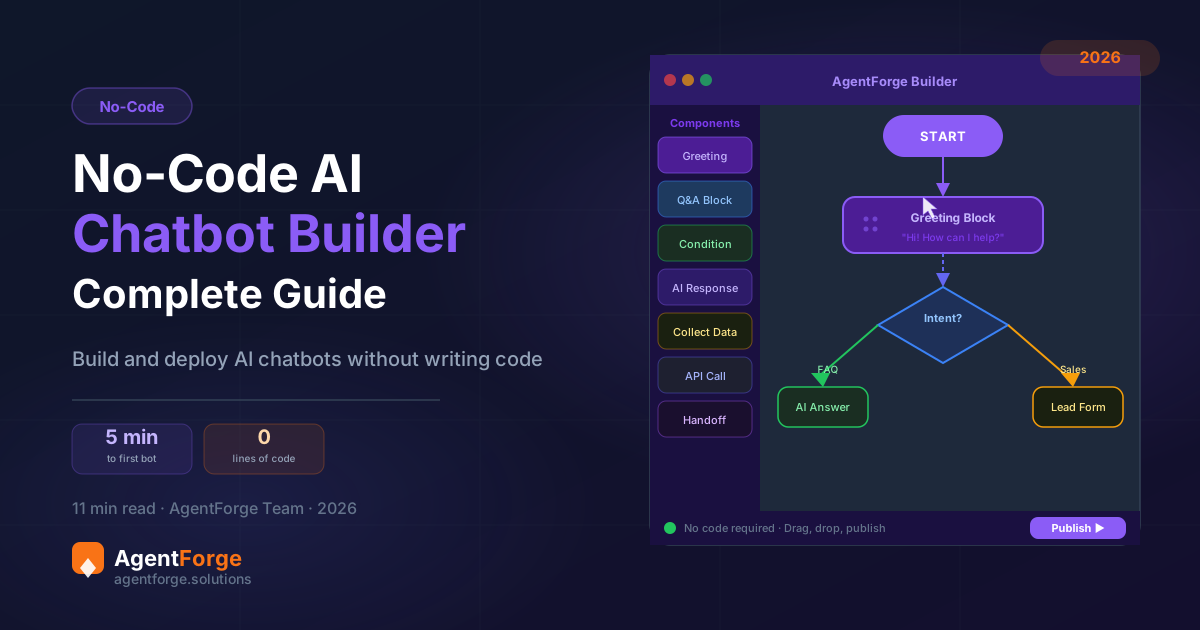
Two years ago, building an AI chatbot that could hold a natural conversation, learn from your documentation, and deploy across WhatsApp and your website required a developer, several weeks of work, and a budget most small businesses couldn’t justify. In 2026, the same result takes an afternoon and no technical skills. No-code AI chatbot builders have made the technology genuinely accessible — and the best of them deliver production-quality agents, not toy demos.
The chatbot market is projected to reach €15.5 billion by 2028, and the dominant driver of that growth is the democratization of AI: founders, support managers, marketing teams, and agency owners building agents themselves, without waiting for developer resources. This guide gives you everything you need to evaluate the platforms, build your first agent, and deploy it correctly.
The No-Code Revolution in AI — What Changed?
Until roughly 2023, building an AI chatbot meant either using a rigid rule-based platform with predefined flows (requiring a significant time investment to map out every conversation branch), or coding a custom integration with an LLM API (requiring software engineering expertise). Neither option was realistic for non-technical business owners.
Two developments changed this simultaneously. First, large language models became capable enough to handle genuine business conversations without heavy prompt engineering — a well-configured LLM-powered agent gives sensible, accurate answers from a knowledge base without scripting every possible conversation branch. Second, no-code platforms built visual interfaces that abstract away the technical complexity — you configure what the agent knows and how it behaves, not how it’s implemented.
The result is that 80% of AI chatbot use cases — customer support FAQ automation, lead qualification, appointment booking, product recommendations — are now achievable by any business owner in an afternoon. The remaining 20% (deep ERP integrations, regulatory-specific compliance workflows, real-time inventory systems) still benefits from developer involvement, but the baseline is now dramatically higher.
What Makes a Good No-Code Chatbot Builder?
Not all no-code platforms are created equal. Before comparing specific tools, here are the six criteria that distinguish a genuinely capable platform from a demo-ware product that looks good in a video but struggles in production.
Visual builder with guided setup. The interface should make complex configuration accessible. Drag-and-drop flow builders are great for conversation design; form-based setup is sufficient for simpler agents. What matters is that you can configure the agent’s behavior without reading API documentation.
AI-powered (LLM-based), not just keyword matching. The platform must use a large language model for conversation handling, not a keyword-matching engine with a prettier interface. Test this by asking the demo chatbot an unexpected question — an LLM-powered agent handles it gracefully; a keyword matcher fails immediately.
Knowledge base training from multiple sources. Upload PDFs, paste URLs, import FAQ spreadsheets, or enter Q&A pairs manually. The more flexible the ingestion pipeline, the easier it is to get your existing documentation into the agent without reformatting work.
Multi-channel deployment. A single agent configuration that deploys to your web widget, WhatsApp, Instagram, Telegram, and API simultaneously is far more efficient than building separate bots for each channel. Verify which channels are supported natively vs. requiring third-party connectors.
Customization beyond basics. Brand customization (colors, avatar, bot name) matters for professional deployments. More importantly, the ability to customize the agent’s tone, scope, escalation behavior, and response style determines whether the chatbot feels native to your brand or obviously off-the-shelf.
Analytics and monitoring. You need visibility into what conversations are happening, where the agent is failing, and what the resolution rate is. Platforms without conversation logs and basic analytics make it impossible to improve your agent after launch.
See the full breakdown of features on our AI agent builder page — including what distinguishes an AI agent from a traditional chatbot at the architectural level.
Top 8 No-Code AI Chatbot Builders Compared (2026)
Here’s an honest comparison of the leading platforms, with their genuine strengths and limitations.
| Platform | Price | Best For | Weakness |
|---|---|---|---|
| AgentForge | €25–297/mo | Agencies, multi-channel, white-label | Newer platform (growing ecosystem) |
| Chatbase | €19–399/mo | Simple doc-trained Q&A bots | Limited workflow automation, no white-label |
| Botpress | Free–custom | Technical teams, complex flows | Steep learning curve, requires developer |
| Tidio | Free–€394/mo | E-commerce, live chat + basic AI | AI feature depth limited on lower tiers |
| ManyChat | Free–€15+/mo | Instagram & Messenger marketing flows | Primarily rule-based, limited AI depth |
| Botsonic | €16–499/mo | Quick deployment, Writesonic ecosystem | Limited multi-channel on lower tiers |
| Landbot | €45–450/mo | Conversational landing pages, lead capture | Flow-builder complexity, limited AI depth |
| Typebot | Free–€89/mo | Open-source, self-hosted, forms + chat | Requires self-hosting for full control |
AgentForge stands out for agencies and multi-channel deployments specifically because of white-label support, sub-account management for multiple clients, and deployment across WhatsApp, Instagram, Telegram, and web widget from a single agent configuration. For solo deployments on a single channel with simple FAQ needs, Chatbase or Tidio are viable alternatives.
Step-by-Step: Build Your AI Chatbot in 30 Minutes
Here’s the practical walkthrough for building your first AI chatbot with AgentForge — no coding required. The process is representative of the best no-code builders; adapt each step to whatever platform you choose.
Step 1: Sign up and choose your plan. Go to agentforge.solutions/signup and create your account. The trial gives you 50 credits to build and test your agent before committing to a paid plan. Start there.
Step 2: Create a new agent and name it. Give your agent a name that fits your brand (your customers will see this name). In the system prompt, write a clear role description: who the agent is, what it’s for, what topics it handles, and how it should behave when it doesn’t know the answer.
Step 3: Build your knowledge base. Upload your FAQ document, product documentation, policy pages, and any other text the agent should know. You can also paste URLs and the agent will crawl them. This is the most important step — the quality of your knowledge base determines 80% of your agent’s usefulness. Invest the time here.
Step 4: Configure the structured data. Use the Data tab to enter your opening hours, contact details, pricing information, and key policies in a structured format. This ensures the agent always has accurate, up-to-date information for the most common queries without relying on a document that might get outdated.
Step 5: Customize the widget appearance. Set your brand colors, upload an avatar, write a welcome message, and configure the position of the chat widget on your site. This takes 5 minutes and makes a significant difference to how professional the agent feels on your website.
Step 6: Configure your channels. Enable the web widget first. Once you’ve tested on web, connect WhatsApp (requires Meta Business verification), Instagram, or other channels. The same agent configuration serves all channels — no separate setup per channel.
Step 7: Test in the Prompt Lab. Before going live, run 20–30 test conversations. Include your most common FAQ questions, some edge cases, and some questions the agent shouldn’t answer. Adjust your system prompt and knowledge base based on what you find.
Step 8: Deploy. Copy the embed snippet and add it to your website’s HTML — typically in the footer, just before the closing </body> tag. For WhatsApp, the activation is instant once Meta’s verification is complete. Your agent is live.
Build Your First AI Chatbot in 30 Minutes
No code. No developers. Just your knowledge base and AgentForge’s builder. Start free.
Common Mistakes to Avoid
Most no-code chatbot deployments that fail do so for predictable reasons. Here are the five most common mistakes — and how to avoid each one.
Trying to handle every possible scenario. The instinct to build an agent that handles everything leads to a sprawling system that handles nothing well. Start with your top 15 most common queries. Get those right. Expand the scope once you have evidence the core use case is working.
Skipping knowledge base quality control. The agent is only as good as the documents you train it on. Outdated policies, contradictory FAQs, and vague product descriptions produce an agent that gives inaccurate or inconsistent answers. Before uploading documents, review them for currency, accuracy, and clarity. Garbage in, garbage out.
Ignoring the handoff to human agents. An AI chatbot without a clear escalation path is a frustration machine for complex queries. Every agent needs a defined escalation trigger: after two failed resolution attempts, on detection of frustration language, or on explicit customer request. And there must be a real human on the receiving end.
Not testing on mobile. More than 70% of chat conversations happen on mobile devices. Test your widget on iOS and Android, at different screen sizes, with different connection speeds. Issues that are invisible on desktop are often glaring on mobile.
Over-engineering the personality. It’s tempting to give your chatbot an elaborate personality with backstory and quirks. In practice, customers want fast, accurate answers — not entertainment. Keep the tone professional, warm, and efficient. Personality should support helpfulness, not distract from it.
No-Code AI Chatbots by Industry: The Highest-Value Use Cases
The applications that generate the clearest ROI vary by industry. Here’s where no-code AI chatbots deliver the most measurable impact:
E-commerce. Order tracking, returns initiation, product Q&A, and cart abandonment recovery. An AI chatbot that recovers even 5% of abandoned carts can more than pay for itself in the first week.
Healthcare and wellness. Appointment scheduling, service information, insurance queries, and patient intake. The always-on availability is especially valuable for appointment booking outside business hours.
Real estate. Property inquiries, buyer qualification, viewing scheduling, and neighborhood information. The Forge Agency Scaler template gives agencies a ready-made framework for deploying client-facing AI agents across multiple property portfolios.
Professional services. Initial client qualification, service scope information, intake form completion, and discovery call scheduling. AI chatbots protect billable hours by filtering out low-fit prospects before they reach a senior team member.
SaaS and tech. Technical documentation lookup, onboarding guidance, billing FAQ, and tier-1 troubleshooting. For SaaS companies, an AI chatbot on the docs site that provides instant, specific answers dramatically reduces support ticket volume.
Frequently Asked Questions
Can I really build a chatbot without coding?
Yes, entirely. Modern no-code AI chatbot builders require no programming. You configure the agent through visual forms and interfaces, upload your documents, customize the widget appearance, and deploy with a copy-paste embed code. The entire process, from account creation to a live chatbot on your website, takes under two hours.
How long does it take to build a no-code chatbot?
A basic chatbot can be built and live in under one hour. A production-ready agent with a comprehensive knowledge base, structured data, configured escalation, and multi-channel deployment (web + WhatsApp) typically takes 4–8 hours — most of that time gathering and organizing your documentation.
Is a no-code chatbot as good as a custom-built one?
For 80% of business use cases, yes. The underlying AI model is often the same — no-code platforms use the same large language models that power custom solutions. The difference is in deep integrations and proprietary workflows. If your use case is FAQ automation, lead qualification, or appointment booking, a no-code platform is entirely sufficient.
What’s the best free no-code chatbot builder?
Tidio’s free plan covers basic live chat with simple AI. Botpress is free and open-source if you self-host. AgentForge’s trial includes 50 credits to test a full-featured agent. For production use, a paid plan is almost always necessary — free tiers are useful for evaluation, not sustained business operation.
Can no-code chatbots handle complex workflows?
Yes. Leading platforms support multi-step conversations, conditional logic, webhook integrations, and CRM data lookup. AgentForge’s flow builder lets you design complex conversation paths without code, and the structured data system supports dynamic business information that updates without retraining.
Do no-code chatbots work with WhatsApp?
Yes. AgentForge and several other leading platforms support WhatsApp Business API integration. The same agent you build for your website deploys directly to WhatsApp — no additional configuration needed. You’ll need a WhatsApp Business account and Meta API approval, but the agent itself requires no extra setup.
Ready to Build Without Code?
AgentForge makes it possible to go from zero to a live AI chatbot in under 30 minutes. No developers, no waiting, no complexity.
Build Your First Agent Free →For platform-specific cost details before you commit, read our AI chatbot cost and pricing guide. For a deep-dive into deploying specifically on WhatsApp, see our WhatsApp AI chatbot for business guide.