Customer service is one of the largest operational costs for any business — and one of the biggest sources of customer churn when it fails. Companies spend an average of $1.3 trillion per year handling customer service calls, yet 60% of customers report being put on hold, transferred multiple times, or left without a resolution. The gap between what customers expect and what most support teams can deliver has never been wider.
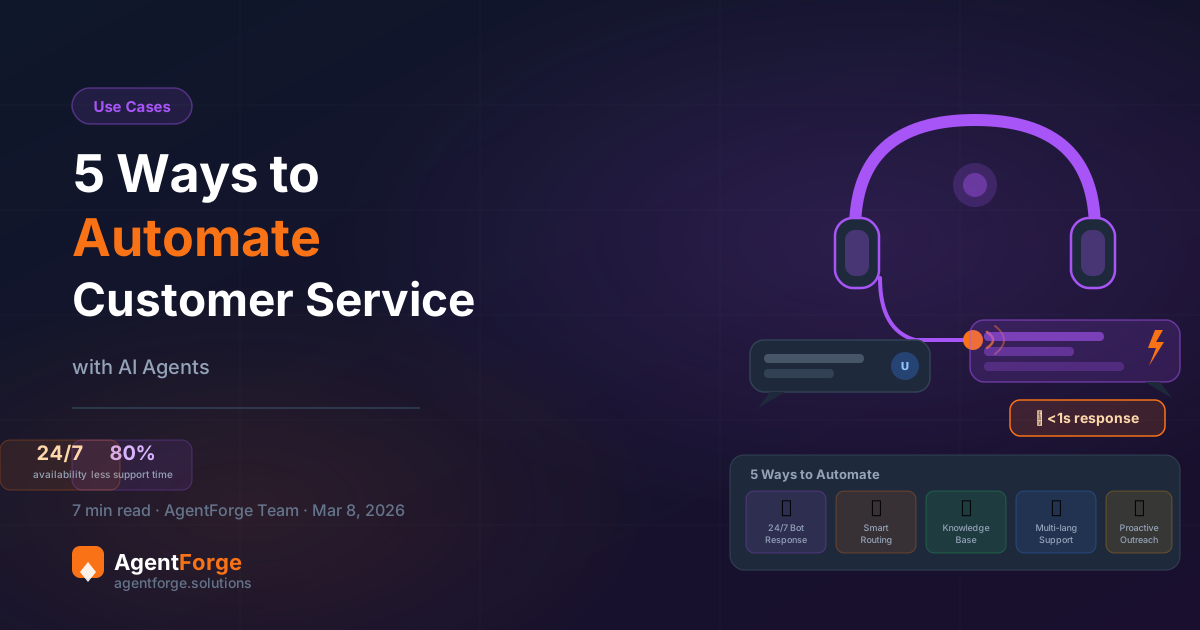
AI agents are closing that gap. Not as a gimmick or a cost-cutting shortcut, but as a genuine operational upgrade that lets lean teams punch above their weight. In this article, you will find five concrete ways to automate customer service using AI agents — each one practical, immediately deployable, and built around real business outcomes. Whether you run an e-commerce store, a SaaS product, or a service business, at least two of these will apply directly to your situation.
Why AI Customer Service Is No Longer Optional
Customer expectations have shifted permanently. Today, 90% of customers expect an immediate response when they have a support question — and "immediate" means under 10 minutes, not hours. Meanwhile, 67% of customers prefer to resolve issues through self-service rather than speaking to a human agent, according to general industry survey data compiled across multiple CX research firms. They want answers fast, without waiting in a queue, without being transferred three times, and without repeating themselves.
The economics tell the same story. A human customer service agent costs between €30,000 and €55,000 per year in salary, benefits, and training — and can handle roughly 50 to 80 interactions per day. An AI agent costs a fraction of that, operates 24 hours a day, seven days a week, handles hundreds of simultaneous conversations, and never calls in sick. For routine inquiries — which make up 60 to 80% of most support volumes — the AI agent is not just cheaper; it is faster and more consistent.
This does not mean replacing every human on your support team. It means routing the right work to the right resource. Let AI handle the repetitive, high-volume, low-complexity requests. Let humans focus on complex escalations, relationship-building, and situations that genuinely need empathy and judgment. Here are five ways to make that split work in practice.
Way 1 — The 24/7 Instant Response Bot
The simplest and highest-ROI place to start is also the most obvious: an agent that answers common questions instantly, at any time of day, without any human involvement.
What it automates: FAQ responses, product information, pricing and plan details, opening hours, return and refund policies, shipping timelines, account status lookups, and any question your support team answers more than ten times per week.
How to build it in AgentForge:
- Define your agent's scope. In the AgentForge builder, create a new agent and write a system prompt that establishes the agent's role (e.g., "You are the customer support assistant for Acme Store. Answer questions about orders, returns, and product availability."). Be specific about what it should and should not handle.
- Load your FAQ content. Add your most common questions and answers directly into the system prompt or upload a structured FAQ document to the knowledge base. The agent will draw on this content to answer questions accurately without hallucinating.
- Embed it on your site. Use the AgentForge widget embed code (see how to embed a chatbot in under 5 minutes) to place the agent on your support page, product pages, or anywhere customers typically look for help.
The result: Zero-second response time on 70 to 80% of incoming inquiries. Customers get answers at 2am on a Sunday. Your team wakes up to a queue that is already half-handled.
Way 2 — Smart Ticket Routing and Triage
Not every customer inquiry can or should be resolved by an AI agent. But an AI agent can handle the triage step that currently eats hours of human time every day: reading an incoming message, understanding what it is about, assessing urgency, and deciding where it should go.
Before AI: Every email, chat, or form submission lands in a shared inbox. A human reads each one, tags it, decides if it is urgent, and assigns it to the right team member or queue. At 200 tickets per day, that is 2 to 3 hours of pure triage work — before anyone has resolved a single issue.
After AI: An AI triage agent reads each incoming message, classifies it by topic (billing, technical, shipping, general inquiry), assigns an urgency level (critical, normal, low), and either resolves it directly if it falls within a known category, or routes it to the appropriate human with a summary already attached. The human opens the ticket already knowing what it is about and what information the customer provided.
How to implement it: In AgentForge, configure a triage agent with a system prompt that defines your classification categories and escalation rules. Use the handoff feature to pass conversation context — including the customer's original message, their account type, and the agent's classification — when escalating to a human. This means the human agent never has to re-read raw history; the AI agent has already summarised it.
Pair this with your helpdesk tool via the AgentForge integrations layer to automatically create or tag tickets in platforms like Zendesk, Intercom, or Freshdesk based on the AI's classification output.
The result: Studies from teams that have implemented AI triage report a 35 to 45% reduction in average handling time per ticket. Your human agents spend their time solving problems, not categorising them.
Way 3 — The Knowledge Base Agent
Most businesses have enormous amounts of useful information locked inside PDFs, internal wikis, product manuals, policy documents, and training materials. A knowledge base agent makes all of that information instantly searchable and conversational — for customers, for staff, or for both.
What it does: Instead of requiring a customer to search through a 60-page product manual or a staff member to dig through internal documentation, the knowledge base agent reads the question, retrieves the relevant section, and delivers a precise, cited answer in plain language.
Use cases:
- Customer-facing product support: SaaS products, hardware manufacturers, and any business with complex products benefit enormously. Customers ask questions in natural language and get accurate answers drawn directly from official documentation.
- Internal IT helpdesk: Upload your IT policies, software guides, and troubleshooting procedures. Employees get instant answers without opening a ticket.
- Healthcare and compliance-heavy industries: Where accuracy matters, grounding the agent in authoritative documents (rather than general training data) keeps responses reliable and auditable.
How to implement it: In the AgentForge knowledge base tab, upload your PDFs, Word documents, or paste in text content. The platform processes and indexes the content automatically. The agent then uses retrieval-augmented generation (RAG) to pull relevant sections when answering questions. You can upload multiple documents — product manuals, FAQs, pricing guides — and the agent will search across all of them.
If you are new to building agents, the no-code agent building guide walks through the full setup process step by step.
The result: Support tickets for questions that are already answered in your documentation drop sharply. Teams using knowledge base agents report a 50 to 65% reduction in documentation-related support tickets within the first month.
Way 4 — Multi-Language Support Agent
Language is one of the most underestimated barriers in customer service. Research consistently shows that 75% of consumers prefer to buy in their native language, and even a larger percentage prefer to receive support in their native language. If your business serves customers in more than one country — or even more than one region — you are almost certainly losing customers and satisfaction scores to language friction.
The traditional solution is to hire multilingual staff or use external translation services. Both are expensive, slow, and difficult to scale. A multi-language AI support agent eliminates the problem entirely.
How it works: Modern large language models — the kind that power AgentForge agents — are natively multilingual. An agent configured in English will automatically detect when a customer writes in Spanish, French, German, Italian, Portuguese, or dozens of other languages, and respond fluently in that same language. No configuration required. No translation layer. No delay.
How to implement it: When writing your agent's system prompt in AgentForge, include an explicit instruction such as: "Always detect the language the customer is writing in and respond in the same language. If the customer switches languages mid-conversation, switch with them." This simple instruction is enough to activate reliable multilingual behaviour across the agent's supported model range.
For businesses with specific regional compliance needs — for example, ensuring that French-speaking customers in Quebec always receive responses in Canadian French — you can add more detailed language routing rules to the system prompt.
The result: You can serve customers in 30+ languages without hiring a single additional staff member. Customer satisfaction scores in non-English markets typically improve significantly once language friction is removed — with some businesses reporting CSAT improvements of 20 to 30 points in previously underserved language markets.
Way 5 — Proactive Outreach and Follow-Up
All four methods above are reactive: they wait for a customer to reach out and then respond. The fifth way is fundamentally different — and often the highest-value: using AI agents to initiate contact proactively, before the customer has a problem or before they forget about you.
Use cases that drive real revenue:
- Abandoned cart recovery: A customer adds items to their cart but does not complete checkout. A trigger fires, and an AI agent sends a personalised follow-up message addressing common objections (shipping cost, discount availability, stock levels).
- Post-purchase check-in: Three days after delivery, an agent automatically contacts the customer to confirm everything arrived correctly, answer any setup questions, and surface relevant accessories or follow-on products.
- Subscription renewal reminders: 14 days before a subscription expires, an agent reaches out with renewal information, a summary of what the customer has used, and an incentive to continue.
- Re-engagement campaigns: Customers who have not interacted in 60 days receive a personalised outreach message referencing their last activity and offering something relevant.
How to implement it: Proactive outreach requires a trigger — an event in your system that signals when and to whom the agent should reach out. In AgentForge, this is handled via webhooks. When an event occurs in your e-commerce platform, CRM, or internal system (cart abandonment, purchase completed, subscription about to expire), your system sends a webhook to the AgentForge inbound webhook endpoint. The agent receives the payload, personalises the message based on the customer data included, and initiates the outreach via your configured channel (email, SMS, or chat).
The system prompt for a proactive agent should define tone, the specific trigger scenarios it handles, and clear rules for when to stop (e.g., if the customer says they are not interested, do not follow up again).
The result: Proactive follow-up consistently outperforms reactive support in retention metrics. Businesses using automated post-purchase check-ins report 15 to 20% higher repeat purchase rates. Abandoned cart recovery agents typically recover 5 to 15% of otherwise lost carts. These are not marginal gains — they are material revenue increases that compound over time.
Putting It All Together — A Full Customer Service Stack
You do not need to implement all five of these at once. The smartest approach is to start with one or two, measure the impact, and expand. But when you are ready to build a full customer service automation stack, these five methods work together in a way that is greater than the sum of its parts.
A practical example: Consider a mid-sized e-commerce company selling home goods across Europe. They implement three of the five methods:
- Way 1 (Instant Response Bot) handles all FAQ traffic — shipping times, return policies, product dimensions, care instructions. This eliminates approximately 65% of their inbound support volume entirely.
- Way 3 (Knowledge Base Agent) is loaded with their full product catalogue and assembly instructions. Customers who bought furniture and need help assembling it get step-by-step guidance from the agent, drawn directly from the official manuals, in their own language.
- Way 5 (Proactive Outreach) triggers post-delivery check-ins 3 days after shipping confirmation. The agent checks in, offers assembly help, and suggests matching accessories. Repeat purchase rate increases by 18% within the first quarter.
Rough ROI breakdown for a team of 4 support agents: Before automation, the team handles 150 tickets per day, spending roughly 30% of their time on FAQ-type queries. After deploying Ways 1 and 3, that 30% is handled entirely by AI. The team now manages the same support volume without overtime, without hiring additional headcount, and with faster average resolution times. At €35,000 per agent per year, avoiding one additional hire saves €35,000 annually — while the AI costs a fraction of that at scale. See the AgentForge pricing page for current plan costs.
Running a smaller operation? See how an AI chatbot for small business handles customer service, lead generation, and bookings at a price point built for SMBs.
Start Automating Your Customer Service
Build your first AI customer service agent in under 10 minutes. No code, no credit card required.
Try AgentForge Free →